DineBoard
- Python
- Flask
- NGINX
- Redis
- Android
- On-prem data center
DineBoard is a secure digital signage platform designed and built entirely in-house for the University of California, Merced. I drove it from problem statement to production: pitched departmental leadership up to the Associate Vice Chancellor, secured OIT backing, built the platform, and ran the pilot that proved it. It runs every display at The Pavilion, a dining center serving over 5,000 guests daily, and cut menu updates from roughly five minutes of walking per station to under a minute for every screen at once.
The problem
Moving from paper menus to digital screens was real progress, until the update workflow caught up with us. Every menu change traveled by USB drive: load the files, walk the floor, update each station's display in place. It was slow and error-prone, menus lagged behind what the kitchen was actually serving, and every fix cost a staff member a walk across the dining hall.
The initial ask was simply to make updating the screens less painful. Talking to the staff who actually did the updating revealed the real scope. The workflow itself was the bottleneck, and no amount of better file management would fix it. The screens needed to update themselves.
Goals for launch
Four things had to be true before this counted as shipped:
- Push a menu change once and see it on every display in under a minute.
- Menus that always match what the kitchen is serving right now.
- Meet institutional security standards, a launch requirement rather than a nice-to-have.
- Staff self-sufficiency: daily operation with no engineer in the loop.
Why build instead of buy
Commercial signage platforms exist, but every serious option meant a procurement cycle, per-screen licensing, cloud hosting outside the university's network, and workflows designed for corporate marketing teams rather than dining staff swapping menus between meal periods. We needed something working fast, shaped around stations and meal periods, and hostable inside campus infrastructure.
Building in-house put a working dashboard in front of staff in under two months and left the university owning the platform outright. That control paid off later, when DineBoard became the live-menu backbone for Tule, the campus information platform.
Conditions and constraints
The operators are dining staff, not IT. Every workflow had to survive a shared back-office computer and a five-minute window between rushes: sign in, pick a station, pick a meal period, upload. Anything more complex than that was a support call waiting to happen.
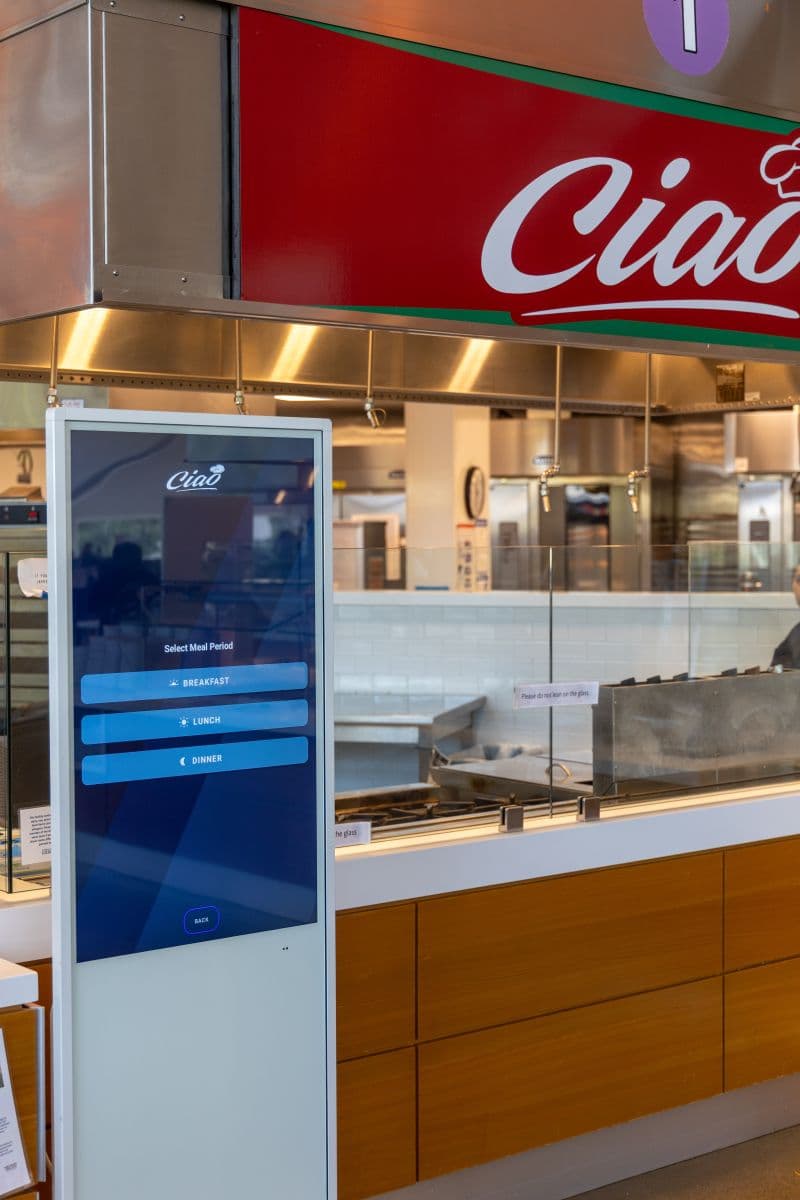
The displays are large Android units out on the dining floor, so the client side stays deliberately thin. A display only ever asks one question: what is the current menu for this station and this meal period? There is no state to corrupt and no wrong screen to get stuck on.
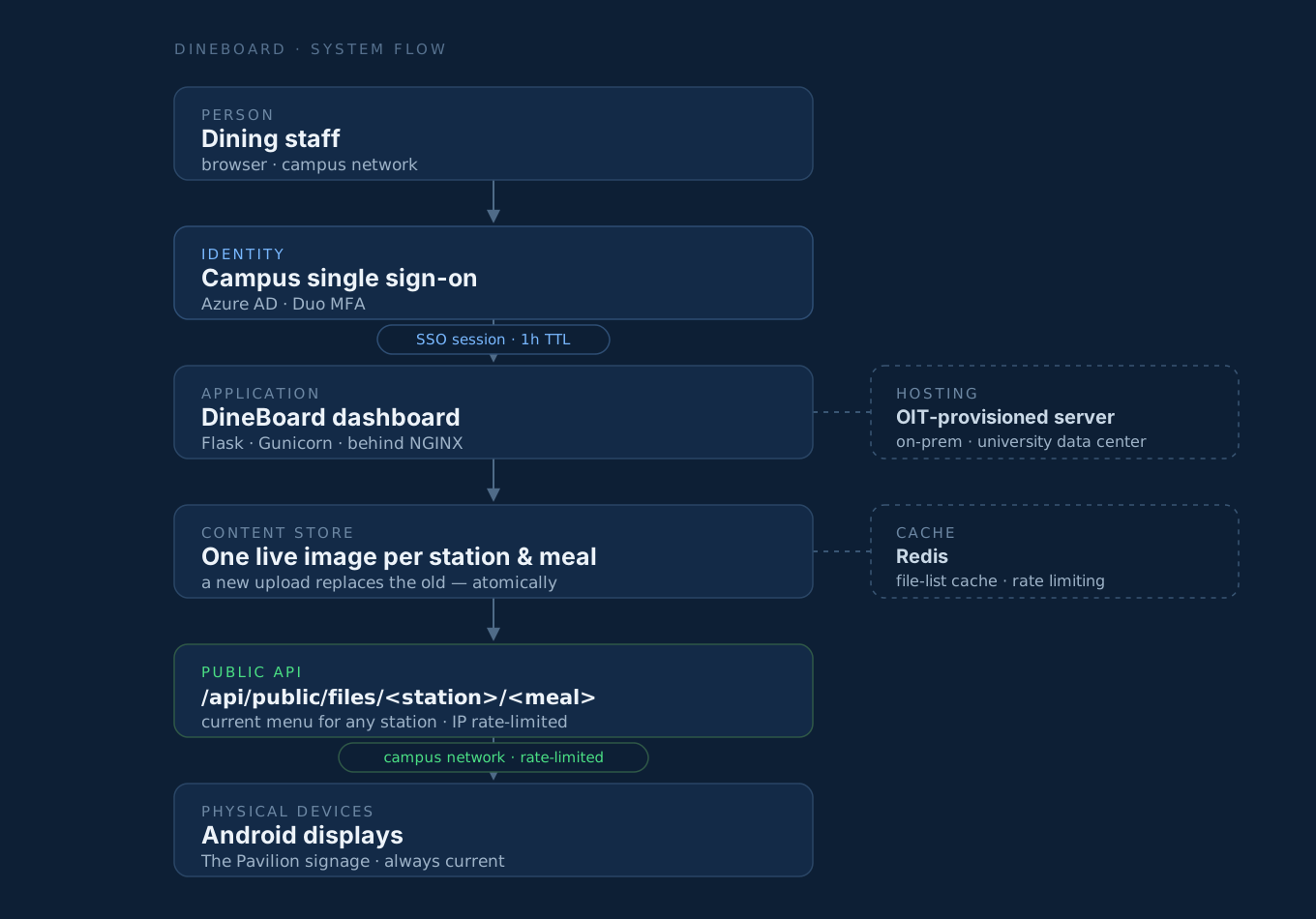
And because staff sign into it every day inside a university network, institutional security wasn't optional: campus single sign-on in front of the dashboard, on-premises hosting, and a rate-limited content API.
The platform
DineBoard is a Flask application served behind NGINX, hosted on-premises on a server provisioned by the university's Office of Information Technology. Staff authenticate through campus single sign-on before they touch anything.
The content model is deliberately boring: exactly one live image per station and meal period, and a new upload atomically replaces the old one. Displays sync against a rate-limited content API over the campus network and refresh within moments of a push, with no drives, no walking, and no waiting for the next meal period.
The dashboard
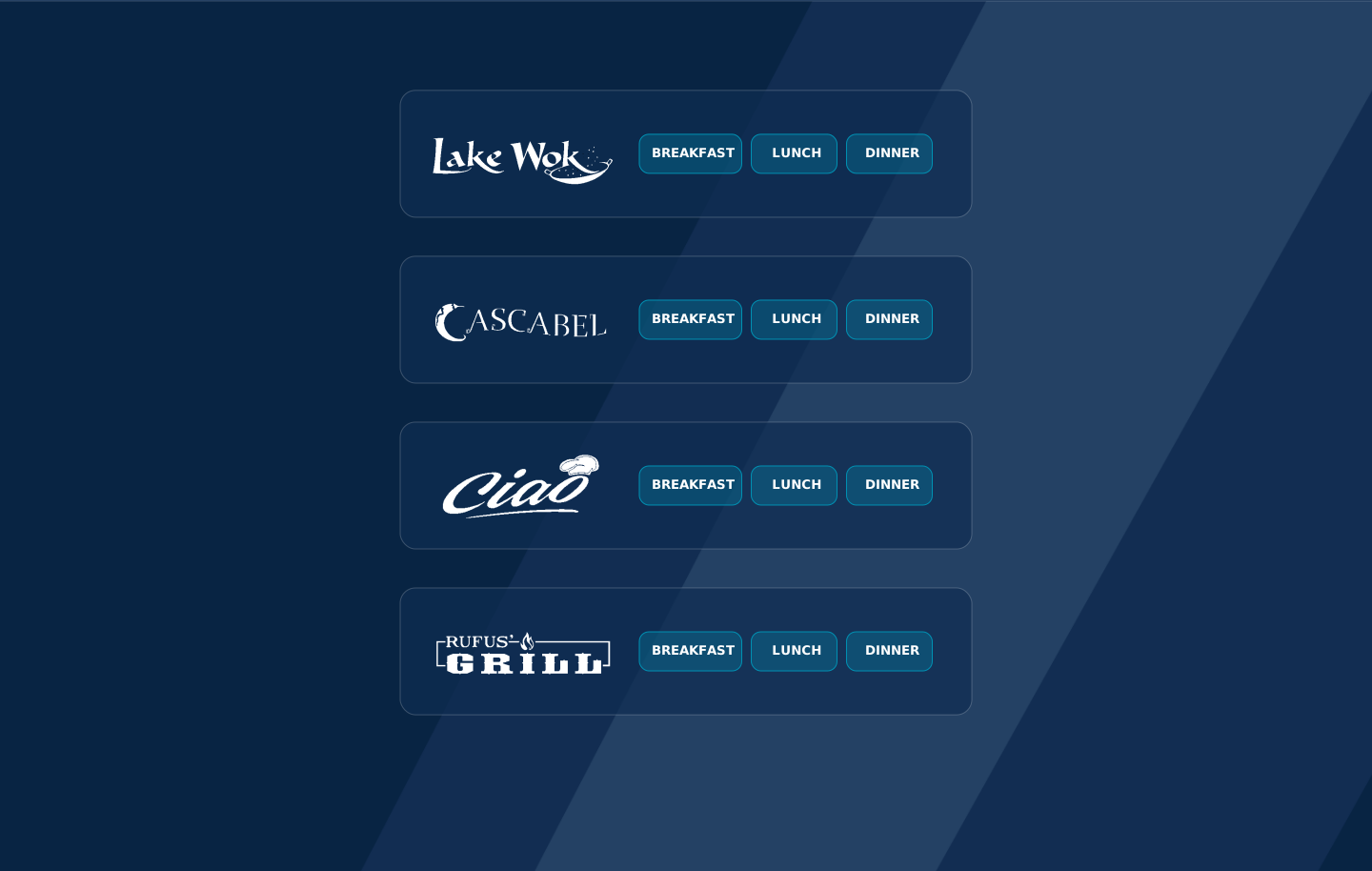
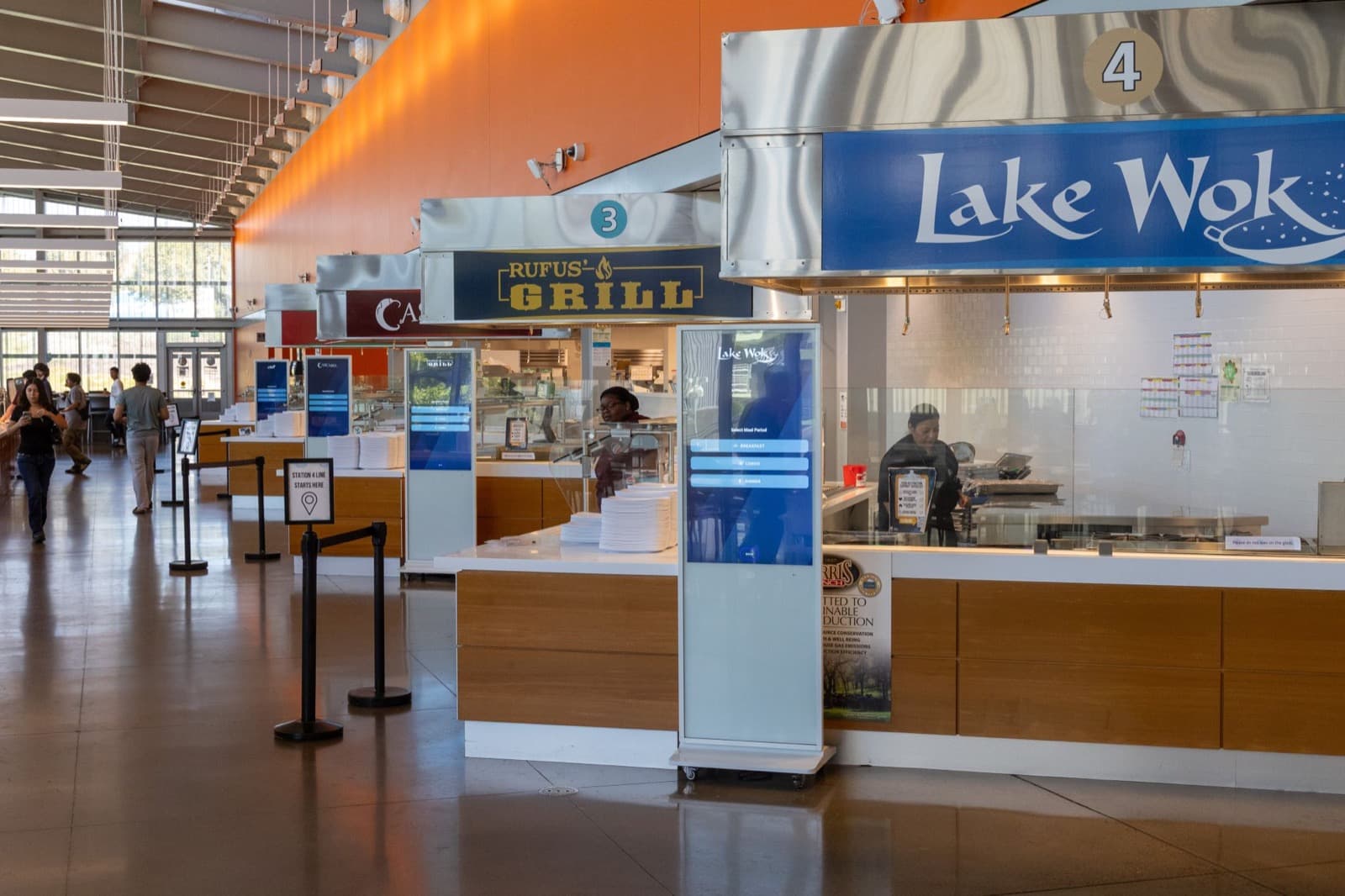
The dashboard mirrors how dining staff already think about the day: stations and meal periods. Open it and you see your stations (Lake Wok, Cascabel, Ciao, Rufus' Grill), each with three buttons for breakfast, lunch, and dinner. Pick one, upload the menu, done. Training a new operator takes minutes because there is nothing else to learn.
The rollout: pilot, feedback, launch
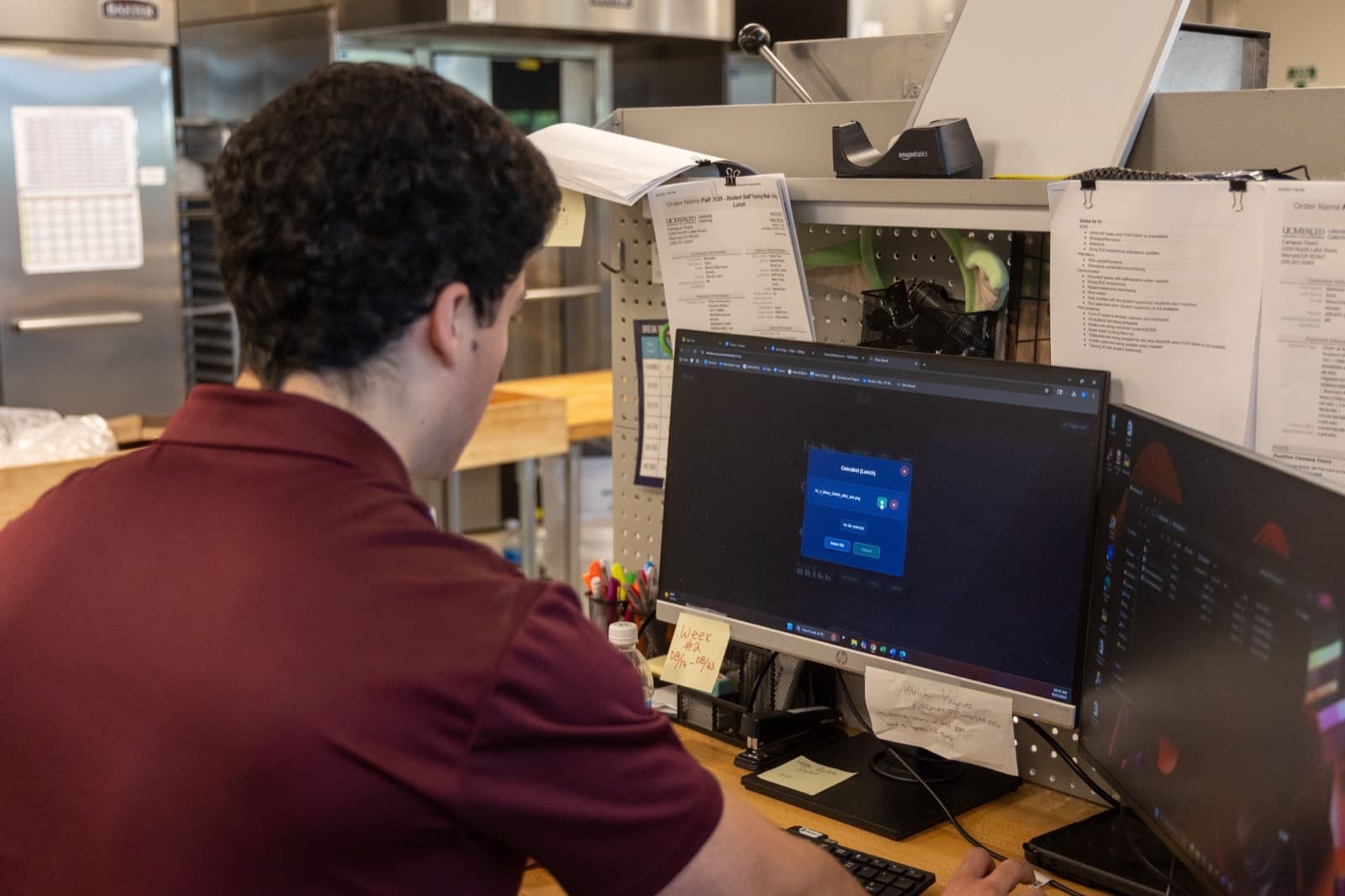
We launched deliberately. First a single pilot station, with an operator manual I authored and hands-on training sessions. Then a structured pilot week: staff ran their real menu updates through DineBoard while we collected feedback, change requests, and timing data. That week is where the numbers come from, with updates measured at under a minute against roughly five minutes per station the old way.
We implemented the change requests from the pilot, validated the new workflow side by side against the old one, and only then went to an official launch. Throughout, I managed stakeholders directly, including dining leadership through the Associate Vice Chancellor, so the people funding and approving the platform were never surprised by it.
From side project to university infrastructure
Getting to production inside a university meant earning institutional trust, not just shipping code. I brought OIT in as a partner early, and they provisioned the campus-backed server the platform runs on. The repository was later incorporated into the university's official GitHub organization, the point where DineBoard stopped being a student project and became university-adopted software.
The engineering practices match: every push runs automated smoke tests and security scans, releases are tagged and packaged automatically, and a deploy is a single dispatched action that updates the server, restarts the service, and health-checks the result.
Live at The Pavilion
DineBoard runs every display at The Pavilion, which sees over 5,000 guests daily. I trained more than ten staff members through full adoption, and the platform doubles as a scalable foundation for the department's future digital communication.
It also became infrastructure: I later integrated DineBoard into Tule, the campus information platform, so live menu data for any station is publicly visible the moment staff push an update.
What I'd do differently
Instrument from day one. We timed the old and new workflows by hand during the pilot week; built-in usage metrics would have made the impact story continuous instead of a snapshot.
Get a seat at the hardware table. DineBoard adopted the Android displays that were already installed, the right scoping call for speed, but a say in the display hardware would have simplified the client and opened the door to richer content.